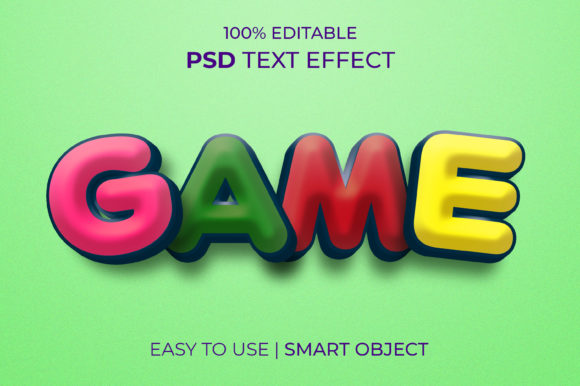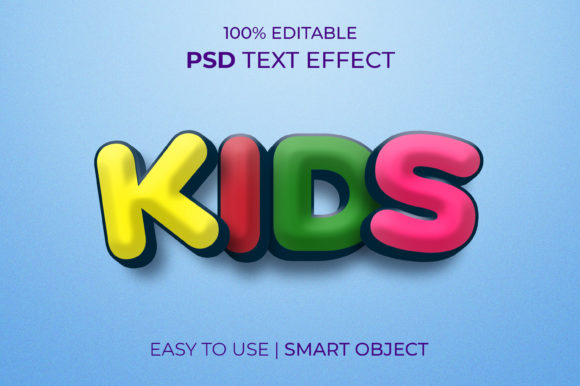
KIDS 3D Text Effect V3: A Game-Changer for Creative Designers
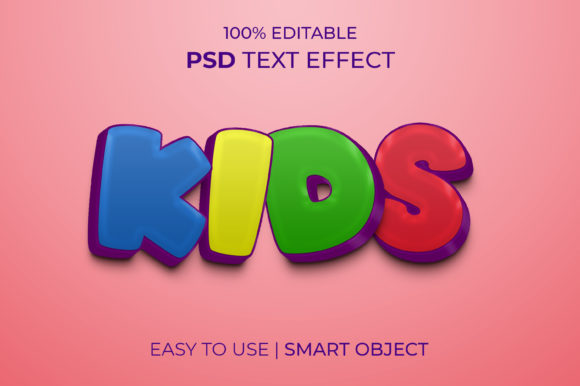
If you're a designer, marketer, or content creator looking to add some visual flair without diving into complex tools, the KIDS 3D Text Effect V3 is something you’ll want to explore. This Photoshop template is not only easy to use but also incredibly versatile, allowing users to create stunning 3D text effects in minutes—no need for advanced skills or additional plugins.
What Is KIDS 3D Text Effect V3?
The KIDS 3D Text Effect V3 is a ready-to-use Photoshop file that includes smart objects with editable 3D text effects. It's designed to simplify the process of creating eye-catching typography by letting you replace the default text and tweak colors, lighting, and other properties directly within Photoshop. The result? Professional-looking designs that are perfect for both digital and print media.
Real-World Use Cases Across Industries
Whether you're designing for a brand, an event, or personal projects, this template can be your go-to tool. Let’s look at how different industries might use it:
Marketing and Advertising
- Product Launches: Need a bold headline for a new toy line or children’s book launch? Swap out the placeholder text and get instant 3D typography that grabs attention.
- Social Media Banners: Create vibrant banners for platforms like Instagram or Facebook where visual appeal is key. The RGB color mode ensures your designs pop on screens.
- Email Headers: Make your promotional emails stand out with dynamic 3D text that adds depth and personality to your message.
Education and E-Learning
- Course Titles: Use the template to design engaging course headers for online learning platforms or educational websites.
- Interactive Quizzes: Add fun 3D elements to quiz titles or activity prompts to make them more visually appealing for students.
- Classroom Materials: Teachers can use it for posters, certificates, or announcements that feel more interactive and exciting.
Entertainment and Events
- Festival Posters: Whether it's a kids' music festival or a family movie night, the template helps craft captivating headlines that draw crowds.
- Theme Park Announcements: Create themed signage with 3D text that matches the playful and imaginative vibe of such environments.
- Birthday Invitations: Parents can design personalized invitations using this template, making each one unique and full of character.
Web and UI/UX Design
- Hero Sections: Use the 3D text effect as a hero headline for landing pages targeting children or families.
- Button Labels: Add dimension to call-to-action buttons for games, apps, or kid-friendly websites.
- Logo Mockups: Test logo concepts with 3D text overlays before finalizing the design for a client.
Who Can Benefit from Using This Template?
This template isn’t just for seasoned designers. Its simplicity makes it ideal for:
- Newcomers to Photoshop: If you're just starting out, the smart object setup means you don’t have to learn complicated layer styles or blending modes.
- Freelancers and Small Businesses: Save time and effort while delivering high-quality visuals to clients who expect modern, impactful designs.
- Parents and Educators: Anyone involved in creating materials for children will appreciate the clean, playful aesthetics and ease of customization.
Why Choose KIDS 3D Text Effect V3?
Here’s what makes this template stand out:
- No Installation Required: Just open the PSD file and start editing. That alone can save hours of setup time.
- Fully Editable Smart Objects: You can change the text, font, color, and even the shape of the letters—all within the smart object layer.
- Well-Organized Layers: Everything is grouped neatly, so you know exactly which parts to adjust without getting lost in the layers panel.
- High Resolution: With dimensions of 2000 x 1331px, it works well for both web and print, ensuring your designs look sharp wherever they’re used.
- Free Font Included: No need to hunt for the right font—the design comes with everything you need to maintain consistency and quality.
Practical Examples of How to Use It
Let’s say you're working on a campaign for a children's toy company. Instead of spending hours trying to build a 3D text effect from scratch, you can simply open the KIDS 3D Text Effect V3, replace the placeholder text with “Adventure Starts Here,” choose a bright color scheme, and export the design. The end product looks polished and professional, all in under ten minutes.
Another example could be a school project. A teacher wants to create a motivational poster for their classroom. They download the template, edit the text to say “Dream Big,” pick a pastel color palette, and print it off. The result is a beautiful, inspiring piece of artwork that fits seamlessly into the classroom decor.
Things to Consider Before Using the Template
Before jumping into the template, there are a few things to keep in mind:
- Font Compatibility: While the free font is included, if you prefer to use a custom font, ensure it supports the characters you need and maintains the same style when swapped in.
- Layer Adjustments: Don't be afraid to tweak the lighting or shadow settings if the design doesn't fit your specific background or theme. Small adjustments can make a big difference.
- Export Settings: Since the template is in RGB mode, remember to convert it to CMYK if you plan to print it. Also, consider resizing or cropping based on your intended platform (web vs. print).
Strengths and Limitations
One major strength of the KIDS 3D Text Effect V3 is its speed and flexibility. You can iterate quickly through multiple versions of a design, experimenting with different phrases and color combinations without breaking a sweat.
However, there are some limitations worth noting. For instance, the template provides a fixed 3D structure, so if you're aiming for a completely unique 3D style, you might still need to rely on specialized tools like Blender or Cinema 4D. That said, for most typical use cases, especially those requiring quick turnaround times, the pre-built effect is more than sufficient.
Final Thoughts on Value and Quality
When it comes to design templates, value is often tied to how much you can get done with minimal effort. The KIDS 3D Text Effect V3 delivers precisely that. It's packed with features, yet remains intuitive and user-friendly. From marketing professionals to educators, this template offers a practical solution for creating engaging, three-dimensional text without the hassle.
If you find this resource helpful, don’t forget to rate it 5 stars. Your feedback not only supports the creator but also encourages the development of more high-quality designs in the future. Thank you for being part of the creative community!