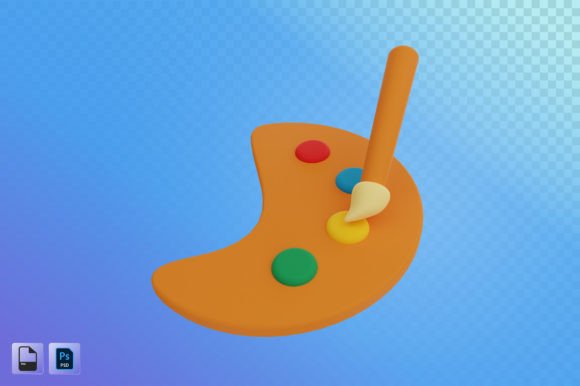
Artist Tool 3D Illustration: A Powerful Resource for Modern Design
Artist Tool 3D Illustration is more than just a visual asset—it’s a dynamic, high-resolution design element that brings depth, realism, and creativity to a wide range of projects. Whether you're working on UI/UX design, app development, web layouts, presentations, posters, or social media content, this resource offers the flexibility and quality needed to elevate your work. Available in both PSD and PNG formats at a resolution of 2000x2000 px, it's tailored for professionals and creatives who demand precision and clarity in their visuals.
Why Use 3D Illustrations in Your Projects?
In today’s visually driven world, standing out requires more than just good ideas—it demands compelling visuals. Artist Tool 3D Illustration helps bridge the gap between concept and reality by providing a realistic representation that can be easily adapted across different platforms. Unlike traditional 2D graphics, 3D illustrations offer dimensionality, perspective, and interactivity, making them ideal for showcasing products, explaining complex concepts, or simply adding an engaging layer to digital content.
The high-resolution format ensures that your designs remain sharp and professional, whether viewed on a mobile screen or printed as part of a poster. The inclusion of both PSD and PNG files gives you full control over how you use the illustration—edit layers directly in Photoshop or integrate the final PNG into any project with ease.
Creative Applications Across Industries
Designers, marketers, and content creators from various fields are discovering new ways to leverage 3D illustrations. Here are some of the most common—and effective—uses:
- UI/UX Design: Use 3D illustrations to create intuitive interfaces that guide users through an experience. They can represent interactive elements like buttons, menus, or product displays in a way that feels immersive and modern.
- App Development: Incorporate 3D assets to enhance user engagement. For instance, a fitness app might feature a stylized 3D character demonstrating exercises, while a finance app could use abstract 3D shapes to visualize data trends.
- Web Design: Add 3D illustrations to landing pages, about sections, or service showcases to break up text and add a unique visual identity to your site.
- Presentations: Replace generic stock images with custom 3D visuals to make slides more memorable and professional. Ideal for tech pitches, startup proposals, or educational materials.
- Social Media Advertising: Catch attention with eye-catching 3D graphics. These illustrations can serve as focal points for campaigns, especially when paired with motion effects or layered into videos.
- Poster Design: Create impactful print materials using 3D illustrations that pop off the page. Perfect for events, promotions, or brand announcements where visual dominance is key.
Real-World Examples of Use
Imagine you’re a UX designer working on a healthcare app. You want to illustrate how patients interact with a virtual assistant. A 3D illustration of a person conversing with a floating interface could help explain the flow without needing actual code yet. This makes the prototype more relatable and easier to test with stakeholders.
Or consider a small business owner launching a new line of eco-friendly products. Using a clean 3D illustration of a reusable bottle or biodegradable packaging can communicate sustainability effectively, especially when used in social media ads or website banners.
How Different Users Can Adapt the Illustration
What makes Artist Tool 3D Illustration so valuable is its adaptability. Depending on your role and goals, you can modify or repurpose it in several ways:
For Designers and Developers
If you're a UI/UX designer or app developer, take advantage of the PSD file to tweak colors, lighting, or composition to match your brand’s style. The layered structure allows for precise adjustments, ensuring consistency with other design elements in your project.
You can also combine multiple 3D illustrations to build scenes or mockups. For example, placing a 3D phone model next to a lifestyle illustration can show how an app integrates into daily life, making it easier to sell the idea to clients or end-users.
For Marketers and Content Creators
Marketers often need visuals that tell a story quickly. Artist Tool 3D Illustration provides the foundation for creating such content. Use the PNG version in email templates, ad banners, or blog headers. Pair it with concise copy and minimal text to reinforce your message with imagery.
Content creators can animate these illustrations using tools like After Effects or Blender to add movement to YouTube thumbnails, Instagram Stories, or LinkedIn posts. Even static versions perform well when optimized for platform-specific sizes and resolutions.
For Educators and Presenters
Educators and trainers can use 3D illustrations to simplify complex topics. For example, a science teacher might incorporate a 3D diagram of a cell to explain biology more clearly. Similarly, corporate trainers can use these visuals in PowerPoint decks to demonstrate workflows or system architecture in a more digestible format.
Because these illustrations are high-resolution and scalable, they maintain clarity even when projected onto large screens during live presentations or recorded training sessions.
Styling and Customization Tips
To get the most out of Artist Tool 3D Illustration, consider the following tips when integrating it into your projects:
- Match the Tone: Ensure the illustration aligns with the overall mood of your project. A playful app might benefit from vibrant, cartoonish 3D art, while a financial dashboard would look better with sleek, minimalist designs.
- Use Layers Wisely: If you have access to the PSD file, experiment with adjusting individual layers. Change background textures, lighting effects, or color palettes to suit your needs without compromising the original quality.
- Combine with Typography: Pair the illustration with strong typography to create a balanced layout. Use contrasting fonts and colors to highlight key messages without overwhelming the viewer.
- Optimize for Platform: Resize and reformat the PNG to fit specific platforms. For social media, square or vertical crops may work best, while horizontal versions are suitable for websites or presentations.
- Layer with Real Photos: Blend 3D illustrations with real-world photography for hybrid designs. This technique works particularly well in marketing collateral or e-commerce sites where a mix of realism and abstraction adds interest.
Where to Apply These Illustrations
Here are a few project types where Artist Tool 3D Illustration shines:
- Mobile App Prototypes: Showcase features with realistic 3D mockups before development begins.
- Website Headers: Use a bold 3D graphic as a hero image to immediately grab attention and set the tone for the rest of the site.
- Infographics: Break down processes or data with 3D visuals that make information easier to understand and remember.
- Brand Identity Work: Integrate 3D illustrations into logos, icons, or branded templates to give your company a futuristic edge.
- Product Launches: Highlight your offerings with 3D renderings that allow customers to see the product from all angles—even if it’s not physically available yet.
Freelancers and Small Business Owners
Freelancers and small business owners often work with tight budgets but big creative ambitions. With Artist Tool 3D Illustration, you can deliver premium-quality visuals without hiring a 3D artist. It’s a smart investment for anyone looking to stand out in competitive markets.
For instance, a freelance blogger covering technology can use 3D illustrations to explain AI, IoT, or cybersecurity concepts in a more engaging way. Similarly, a boutique marketing agency can use these visuals to create client proposals that feel polished and professional.
Ensuring Consistency and Clarity
While 3D illustrations are powerful, they should never overshadow the message they support. To keep your designs clear and consistent:
- Stick to a limited color palette that matches your brand guidelines.
- Avoid clutter—use the illustration as a focal point rather than filling the entire canvas.
- Maintain a uniform style if using multiple 3D assets in one project.
- Test the illustration across devices to ensure readability and impact.
By keeping these principles in mind, you can ensure that your 3D illustrations serve their purpose without confusing the audience. Simplicity and intentionality go a long way in design, especially when working with rich visual elements.
Originality and Audience-Friendly Design
One concern many designers have is maintaining originality when using pre-made assets. Artist Tool 3D Illustration addresses this by offering customizable files. You can change textures, colors, or compositions to reflect your unique vision.
Also, consider your audience when applying these illustrations. A younger demographic may respond better to stylized, colorful 3D graphics, while a professional audience might prefer a cleaner, more subdued approach. Always tailor the illustration to the context and the people who will engage with it.
Some Practical Inspiration
Here are a few creative directions you might explore with Artist Tool 3D Illustration:
- Create a series of themed illustrations for a content calendar, each representing a different topic or campaign.
- Build a “behind-the-scenes” post showing how you modified the illustration to fit your project, which can also serve as a portfolio piece.
- Use it as part of a split-screen layout in a presentation, comparing real-world scenarios with digital solutions.
- Overlay the illustration with subtle animations in web or app design to simulate interaction without coding.
These ideas are just the starting point. The true power of 3D illustration lies in how you interpret and apply it to meet your specific needs.
Final Thoughts
Artist Tool 3D Illustration is a versatile, high-quality resource that supports a variety of creative and commercial applications. From web design to marketing, from education to branding, it opens up new possibilities for visual storytelling. Its compatibility with industry-standard tools and formats means you can work efficiently and produce results that resonate with your audience.
Whether you're a seasoned designer or someone exploring the world of digital creation, this tool can help you bring your ideas to life with clarity and impact. So don’t hesitate—experiment with it, customize it, and let it inspire your next great project.